
Kilim kiti kátintiŋan fa áafayini hitaak Web App
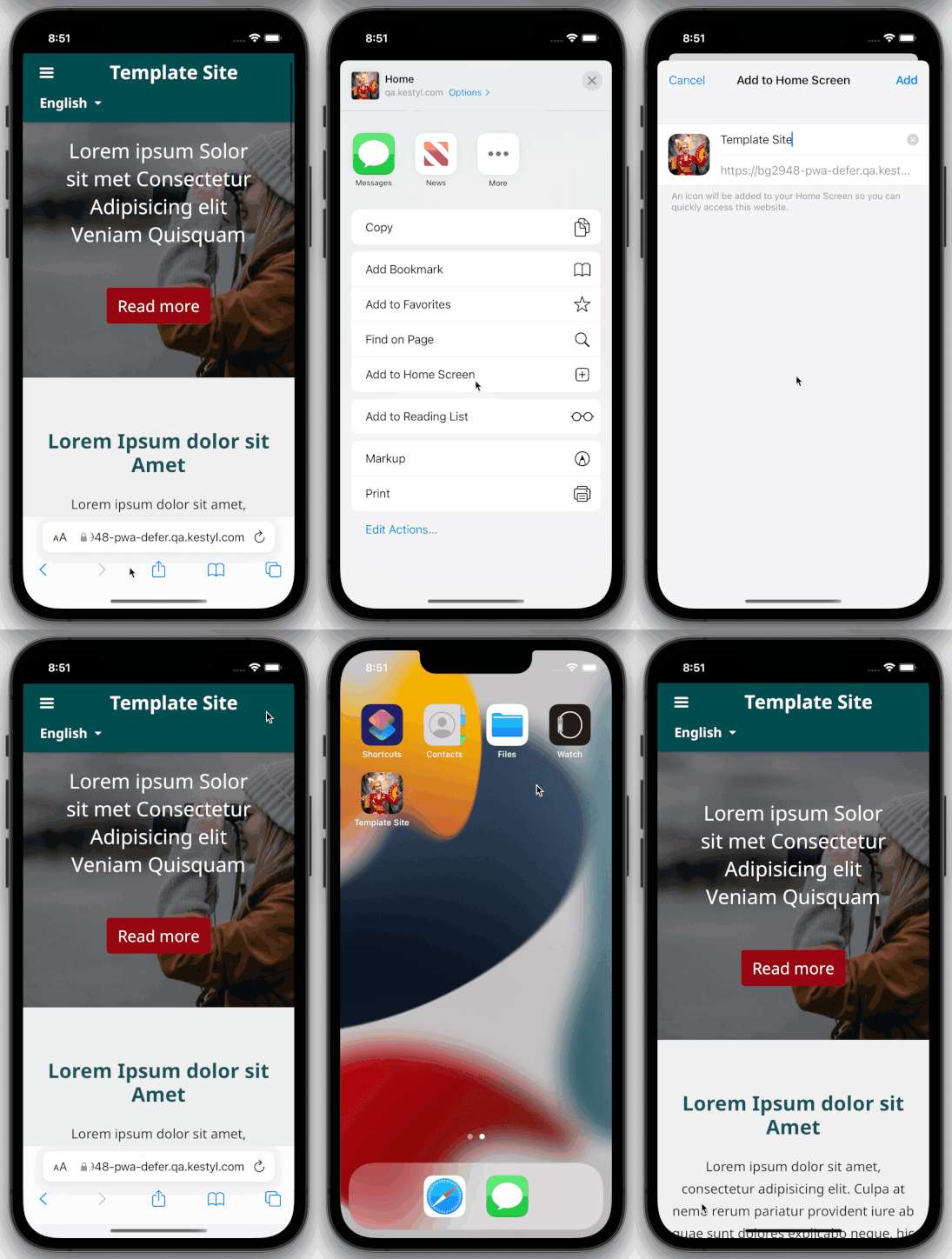
- Pánkin Safari la áafayini la pinako eeyem ya ti iOS ecaakuuk ya etii aakati nako ti website ya.
- Lík ti ekumpa ya eti káapaacinool ka
- Expand the menu and choose Add to Home Screen.
- Tap on Add to add the app to the home screen.
- Open the newly added app from your home screen.
- Give a few minutes to cache the pages.